6 Game-Changing Desk Organization Ideas
Discover 6 simple but powerful desk organization ideas that will reduce distractions, boost your motivation, and transform your productivity at work.
Desk Organization Tips for Productivity: 8 Evidence-Based Strategies That Actually Work
Researchers at Princeton University found that physical clutter competes for your brain's attention, reducing focus and working memory capacity. That finding alone should make you look at your desk differently. A chaotic workspace isn't just aesthetically unpleasant — it's actively costing you mental energy you could be spending on real work. The good news? Small, deliberate changes to your desk setup can produce measurable improvements in how much you get done each day. For a broader foundation, see our guide on home office setup before you start rearranging.
TL;DR: A cluttered desk drains cognitive resources — Princeton neuroscience research confirms that visual disorder competes directly for your attention. This post covers 8 proven desk organization tips for productivity, including a 5-minute daily reset habit, cable management strategies, and ergonomic choices that protect focus over long work sessions.
Why Does Desk Clutter Hurt Your Focus So Much?
The Princeton Neuroscience Institute published findings showing that multiple stimuli in your visual field compete for neural representation simultaneously. In plain terms: every object on your desk that doesn't belong there is silently pulling at your attention. A Harvard Business Review analysis found that disorganized workers lose an average of 4.3 hours per week searching for information or materials (Harvard Business Review, 2019).
That's not a trivial number. Over a year, 4.3 hours per week adds up to more than five full working weeks lost to disorder. The mental load of a messy environment also contributes to decision fatigue — you burn willpower deciding where to put your eyes before you even start a task.
Here's the thing most productivity articles miss: the problem isn't just about tidiness. It's about cognitive load. Every unnecessary object on your desk is a micro-distraction. Reduce those objects, and you free up mental bandwidth for the work that matters. It's one of the cheapest, most accessible productivity upgrades available to anyone.
What Should You Actually Keep on Your Desk?
A study by the American Psychological Association found that people who described their workspaces as cluttered were 77% more likely to report feeling overwhelmed during the workday (American Psychological Association, 2021). The simplest desk organization rule: if you don't use it daily, it doesn't earn desk space. That standard alone eliminates most clutter.
Think in three categories. First, the essentials you touch every single day — laptop or monitor, one notebook, a pen. Second, frequently used items that can live in a drawer but belong within arm's reach. Third, everything else, which should be filed, shelved, or removed entirely.
Personal items deserve a specific mention. A photo or small plant can genuinely improve your mood and motivation, and research from the University of Exeter found that workers in offices with plants reported 15% higher productivity than those in bare spaces (University of Exeter, 2014). One or two personal touches are fine. The line to watch is when "personal" becomes "accumulated."
Daily-Use Items That Belong on Your Desk
Keep your monitor, keyboard, and mouse centered and easy to reach. A single writing instrument and a small notepad cover most needs without adding visual noise. If you use physical documents regularly, one desktop file holder is justified. Everything else should earn its place by being used — not just familiar.
Items That Belong in a Drawer, Not on Your Desk
Scissors, tape, extra pens, charging cables, sticky note pads, and most office supplies work better in a shallow drawer than on the surface. You still have access to them within seconds, but they don't occupy your visual field while you're trying to concentrate. A small drawer organizer keeps this zone from becoming a second clutter zone.
How Do You Build the 5-Minute Desk Reset Habit?
Research on habit formation from University College London shows that consistent end-of-day routines reduce next-morning stress by creating a predictable transition between work and rest (University College London, 2010). A 5-minute desk reset is one of the highest-leverage habits you can build because it costs almost nothing and compounds every single day.
The reset is straightforward. At the end of every work session — or at a fixed time each afternoon — you do five things: clear papers off the surface, return any tools to their home, close browser tabs you don't need tomorrow, write tomorrow's top three tasks, and wipe down the desk surface. That's the entire routine.
The psychological payoff is significant. Coming back to a clear desk the next morning means you start in a calm, ready state rather than immediately confronting yesterday's unfinished chaos. Over time, this routine also trains you to be more intentional throughout the day about what you leave on your desk — because you know you'll be putting it away in a few hours anyway.
How to Make the Reset Stick
Attach the reset to an existing trigger, like your afternoon coffee or the moment you close your last meeting. Place a small visual cue — a sticky note or a timer — somewhere you'll see it at the right time. Don't try to make the reset comprehensive. Five focused minutes beats an aspirational 20-minute tidying session you never start.
Does Ergonomics Actually Affect Productivity?
The Occupational Safety and Health Administration (OSHA) estimates that musculoskeletal disorders account for 33% of all worker injury and illness cases in the US, with most linked to poor workstation setup (OSHA, 2023). Pain and physical discomfort are among the most reliable focus killers there are, which makes ergonomics a direct productivity concern.
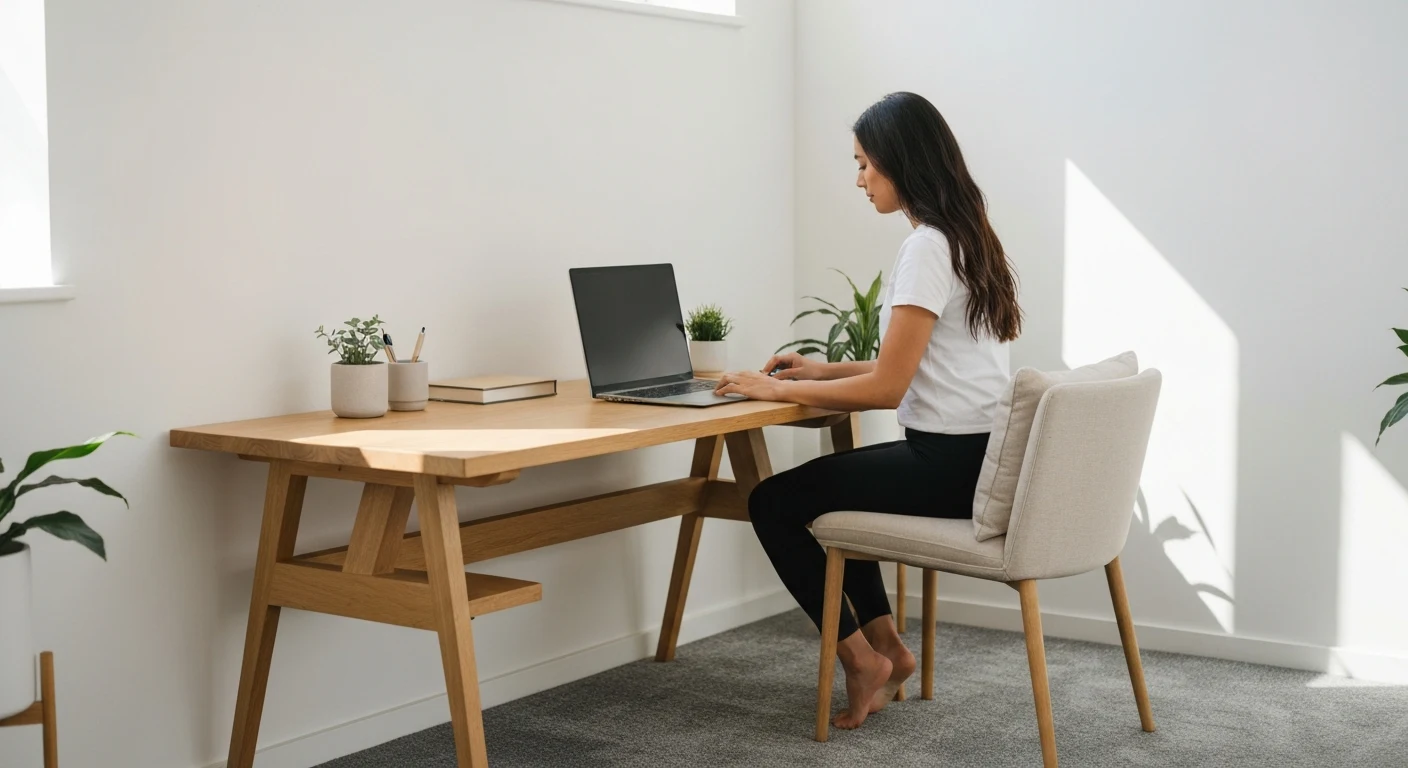
Monitor height is the most commonly neglected factor. Your screen should sit so that your eyes naturally land on the top third of the display without tilting your neck. For most people, this means raising the monitor 2–4 inches above its default position using a stand or a sturdy book stack as a temporary fix.
Your chair and desk height work together. When seated, your elbows should form roughly a 90-degree angle when your hands rest on the keyboard. Feet should be flat on the floor or on a footrest. These aren't arbitrary aesthetics — they're the positions that let muscles stay relaxed, which is how you avoid the fatigue that destroys afternoon concentration.
Lighting: The Overlooked Ergonomic Factor
Eye strain from poor lighting causes headaches and fatigue that look like motivation problems but are actually physiological ones. Natural light is the best option — position your desk perpendicular to windows rather than facing them or sitting with your back to them. When natural light isn't sufficient, a warm-toned LED desk lamp directed at your work surface (not your screen) reduces strain noticeably.
What Cable Management Actually Does for Your Focus
A study published in the Journal of Environmental Psychology found that visual complexity in a workspace — including cable clutter — was directly correlated with reduced task persistence and increased mind-wandering (Journal of Environmental Psychology, 2011). Cables aren't just ugly. They register as unresolved visual tasks in your brain's background processing.
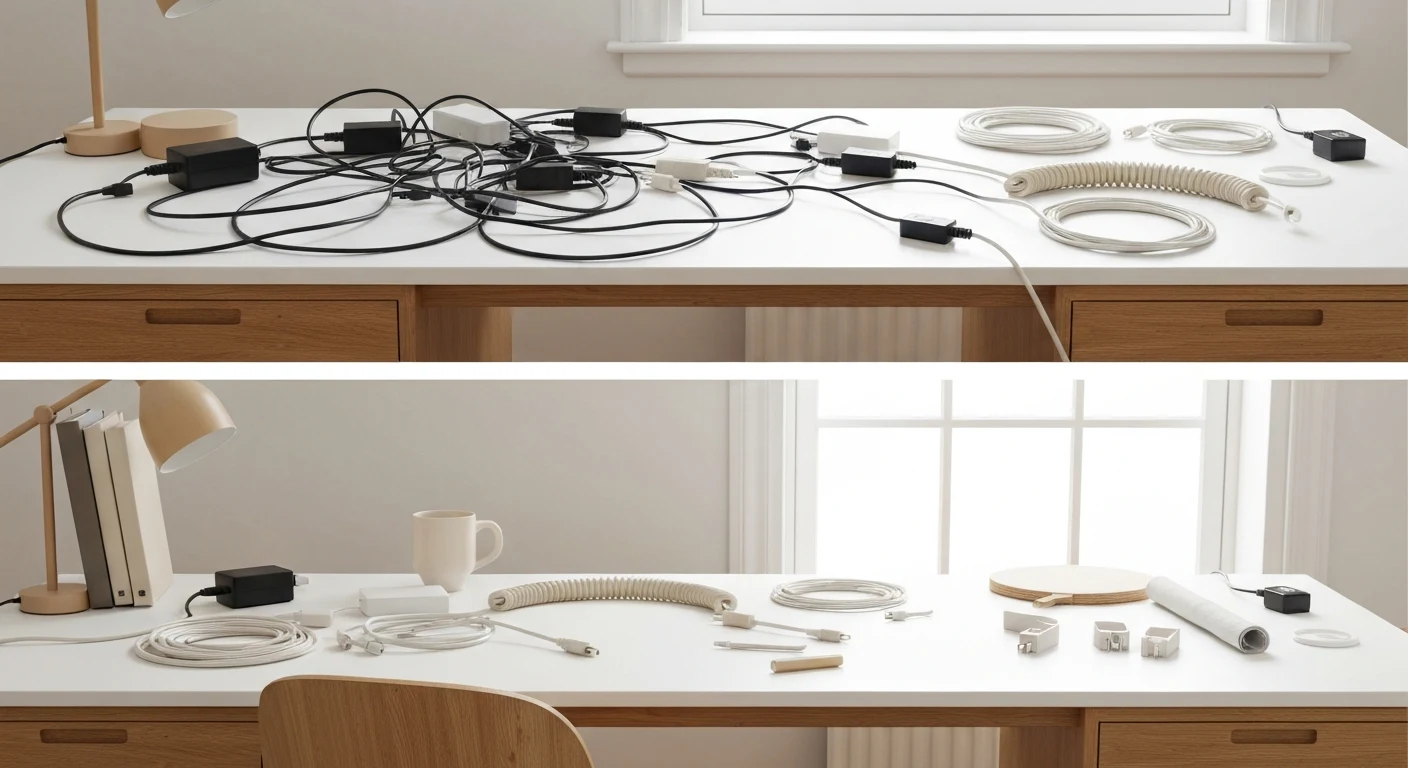
The most effective cable management isn't expensive. A cable management box routes power strips and charging cables out of sight beneath your desk. Velcro cable ties keep individual cords bundled and routed cleanly. A cable clip strip attached to the underside of your desk edge keeps frequently used cables accessible without letting them sprawl across your surface.
Wireless peripherals solve the problem more permanently. A wireless keyboard and mouse eliminate two of the most common cable offenders entirely. If you're on a tight budget, the combination of cable ties and a single cable box will handle 80% of visible cable clutter for under $15 total. This is genuinely one of the quickest desk transformations available. For more ideas on maximizing a tight workspace, the guide on small space storage covers the same principles applied to an entire room.
Under-Desk Cable Routing: The Practical Method
Run your power strip cable along the underside of your desk using adhesive cable clips, then route individual device cables up through a single grommet or over the back edge. The goal is to get every cable off the desk surface and off the floor in front of you. Cables on the floor are trip hazards; cables on the desk are attention hazards.
How Colors and Small Personal Touches Influence Work Mood
A study from the University of Texas found that workers in plain, beige environments reported higher rates of sadness and depression compared to those in richer color environments (University of Texas, 2003). Color affects mood, and mood affects focus. Your desk doesn't need to be stark to be clean.
Blue and green tones are consistently associated with calm and focus in color psychology research. A blue or green desk accessory, plant pot, or notebook cover adds warmth without adding clutter. Warm oranges and yellows can boost energy and creative thinking — useful if your work is creative-heavy — but they're stimulating rather than calming, so use them intentionally.
Plants earn special mention here. The University of Exeter study cited earlier found a 15% productivity increase in plant-decorated offices. A small succulent or a single stem plant in a compact pot adds life to the space without demanding maintenance. One or two plants is the sweet spot. A desk that looks like a greenhouse tips the balance back toward visual complexity.
What Are the Best Desk Organizers for a Productive Setup?
The global desk organizer market was valued at $2.1 billion in 2022 and is growing at 4.8% annually, reflecting how seriously people are taking workspace organization (Grand View Research, 2023). The market is saturated, but the genuinely useful products fall into a few clear categories.
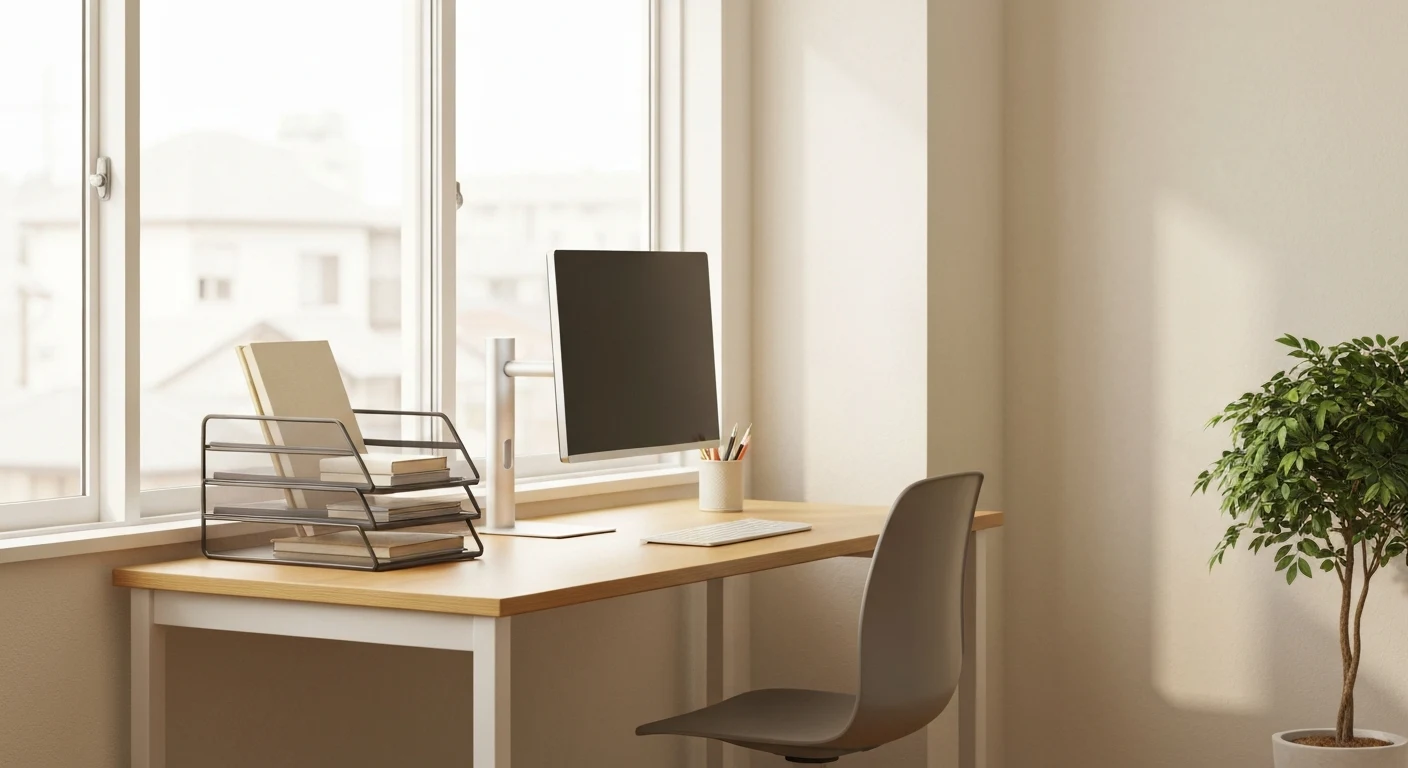
A vertical file sorter handles paper documents without spreading them across the desk. A monitor stand with built-in storage — usually a drawer or a shelf underneath — solves two problems at once. A small drawer organizer tray keeps the "frequently needed but not always visible" items contained and accessible. These three items cover most desk organization needs without requiring a complete overhaul.
Avoid organizers that are larger than your actual storage needs. An oversized pen cup holding three pens is wasted space. A large file sorter with one folder in it looks more disorganized than just putting the folder in a drawer. Right-sized storage beats maximum storage every time.
Frequently Asked Questions About Desk Organization for Productivity
How often should I fully reorganize my desk?
A full desk reorganization is worth doing once every three months, but the 5-minute daily reset keeps things functional between those sessions. Research from HBR suggests that most productivity loss from disorganization is cumulative — small drifts in order that build up over weeks. Catching it daily prevents the need for major overhauls.
Does a standing desk actually improve productivity?
A study published in the British Journal of Sports Medicine found that workers using sit-stand desks reported a 45% improvement in concentration over a seven-month period (British Journal of Sports Medicine, 2018). Standing doesn't itself improve focus — it's the ability to change positions that reduces physical fatigue and the associated mental drain. Even a basic desk riser accomplishes this.
What's the best way to manage paper documents on a desk?
Use a three-tray system: inbox (new items to process), active (currently in use), and outbox (to be filed or discarded). Process the inbox daily and file or discard the outbox at your weekly reset. Most paper clutter comes from things that were "set down temporarily" and never moved. Giving paper a defined path eliminates that.
Does desk organization help with working from home specifically?
Working from home removes the social accountability of a shared office, which means clutter accumulates faster. The Princeton clutter study's findings apply even more strongly in home offices, where the boundaries between "work space" and "living space" are already blurred. A clear desk creates a clearer psychological separation between work mode and rest mode — something remote workers especially need.
Should I keep my phone on my desk while working?
A study from the University of Texas at Austin found that having a smartphone on the desk — even face-down and silenced — reduced available working memory and fluid intelligence because part of the brain is actively working to resist checking it (University of Texas at Austin, 2017). The most effective solution is to keep it in a bag or drawer and check it at scheduled intervals rather than on impulse.
Most desk organization advice focuses on what to add — organizers, systems, trays. The more powerful principle is subtraction. Every item you remove from your desk is a permanent cognitive relief, not just a visual improvement. The minimum viable desk — monitor, keyboard, one notepad, one pen — is worth trying for a week before adding anything back. Most people find they add far less than they started with.
Key Takeaways: Building a Desk That Works for You
Desk organization tips for productivity come down to a consistent principle: reduce what competes for your attention, and support what helps you do your best work. Princeton's neuroscience research confirms that clutter isn't just annoying — it's genuinely costly to cognitive performance. The HBR data puts a number on that cost: 4.3 hours per week.
Start with subtraction. Remove everything from your desk and add back only what you use daily. Build the 5-minute reset habit using an existing trigger so it happens automatically. Address cables before you buy organizers — a clean cable setup transforms the visual environment faster than any product will. Then optimize ergonomics, because physical comfort directly determines how long you can sustain focus.
These aren't one-time fixes. The most productive desk setups are maintained by habits, not by willpower. Build the reset routine, keep the daily use threshold honest, and revisit the full setup once a season. That combination produces a workspace that makes focused work easier every single day.
More from Home Office & Productivity
Home office setup, desk organization, and productivity in small spaces.
Tags

Written by Joesp H.
Interior Design & Small Space Living Specialist
Former marketing manager turned full-time home optimizer. After living in 7 homes ranging from 450 to 2,000 sq ft, I started CleverSpaceSolutions to help people create organized, functional spaces on real budgets.
Other Articles
How Do You Create a Productive Home Office?
Wondering how to set up a home office that's both comfortable and productive? This guide answers your questions with expert tips on furniture, organization, ...

What to Put in an Empty Corner? 10 Genius Ideas
Wondering what to do with that awkward, empty corner? This guide answers with 10 genius ideas, from creating a reading nook to designing a stylish workspace.

Small Balcony Privacy Ideas: How to Block Out Neighbors and Build a Private Outdoor Retreat
25 renter-friendly small balcony privacy ideas: bamboo screens, plant walls, outdoor curtains, pergolas. Block neighbors, dampen noise, stay HOA-compliant.